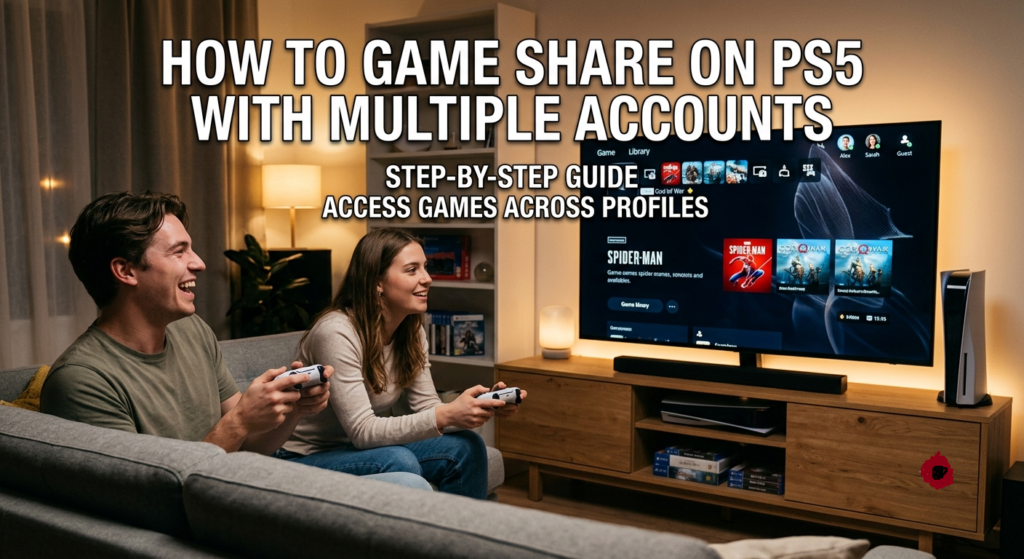

If you want to enjoy more games without buying them twice, understanding how to game share on PS5 with multiple accounts is one of the most useful tricks for PlayStation users. Sony allows digital game sharing through an official feature called Console Sharing and Offline Play, which lets other users on the same PS5 console access games purchased by one account.
We explain everything in detail—how it works, how to set it up correctly, limitations, safety tips, and common issues—based on how the PS5 system is actually designed by Sony.
What Is PS5 Game Sharing?
PS5 game sharing is a system that allows one PlayStation Network (PSN) account to share its digital game library with other user accounts on the same console.
This works through the Console Sharing and Offline Play feature. When enabled:
- Other users on the same PS5 can access purchased digital games
- They can play games using their own accounts
- They do NOT need to purchase the same games again
So when people search for how to game share on PS5, they are actually referring to this official console feature.
How Does Game Sharing Work on PS5 With Multiple Accounts?
To understand how to game share on PS5, you need to understand how PlayStation licenses work.
Every digital game is tied to a PSN account. When you purchase a game:
- The license belongs to your account
- Sony allows that license to be shared on one primary console
- That console becomes the “shared device”
When Console Sharing and Offline Play is enabled:
- All user accounts on that PS5 can access the game library
- Games appear unlocked for other profiles
- The original account can still access games on another console when signed in
PS5 Game Sharing vs Console Sharing and Offline Play: What’s the Difference?
Many users get confused because the term “game sharing” is widely used online, but it is not an official PlayStation feature name. Sony does not label any option as “game sharing” in the PS5 settings menu. Instead, the real system behind it is called Console Sharing and Offline Play.
Game Sharing (Common User Term)
“Game sharing” is simply the name players use to describe the process of sharing digital games between accounts. It usually refers to:
- Sharing purchased PS5 digital games with another account
- Allowing a friend or family member to access your game library
- Playing the same purchased games on different user profiles (within limits)
Console Sharing and Offline Play (Official Sony Feature)
This is the real system that makes game sharing possible on PS5.
When you enable Console Sharing and Offline Play, the PS5 allows:
- All users on that console to access the primary account’s digital games
- Playing games even without an internet connection after verification
- Sharing purchased content like full games and downloadable content (DLC) across users on the same console
How They Connect in Real Usage
When people search for how to game share on PS5 with multiple accounts, what they are actually doing is enabling Console Sharing on a PS5 console so that:
- One account becomes the “license holder”
- Other accounts on the same PS5 can access the shared game library
So in practice:
- “Game sharing” = the idea users talk about
- “Console Sharing and Offline Play” = the actual system that powers it
Requirements Before You Start Game Sharing on PS5
Before setting up how to game share on PS5, you need to make sure a few basic requirements are in place. These ensure the Console Sharing and Offline Play feature works smoothly without errors or locked games.
A PlayStation Network Account With Digital Games
At least one PSN account must own digital games purchased from the PlayStation Store. Without purchased digital content, there is nothing to share across accounts.
A Second PSN Account for Game Sharing
You also need another PSN account that will access the shared games on the same PS5 console. This account is used for playing games under a different profile.
A Stable Internet Connection and Updated PS5 System
Your PS5 should be connected to the internet and running the latest system software. This helps verify licenses properly and avoids issues like locked games or failed sharing setup.
How to Game Share on PS5 With Multiple Accounts (Step-by-Step Guide)
This is the core process for how to game share on PS5 with multiple accounts and it works through Sony’s official Console Sharing and Offline Play feature.
To set it up, you first sign in with the game-owning PSN account on your PS5, then enable Console Sharing and Offline Play in settings. After that, download the games and switch back to your main account to start playing them normally.
Sign In to the Other PSN Account on Your PS5
- Turn on your PS5
- Log into the account that owns the games
- Or add it as a new user profile
Enable Console Sharing and Offline Play
- Go to Settings
- Select Users and Accounts
- Open Other
- Select Console Sharing and Offline Play
- Enable it
Download Shared Games From the Game Library
- Open Game Library
- Go to Your Collection
- Select the game
- Download it normally
Switch Back to Your Main Account and Start Playing
- Switch to your main PSN profile
- Launch the game
- Enjoy shared access without purchasing it again
How to Set Up PS5 Game Sharing Between Two Accounts
Sharing Games From the Primary Account
When Console Sharing is enabled:
- The primary account’s games become accessible on that PS5
- All users on the console can play them
Accessing Shared Games From the Secondary Account
The secondary account can:
- Play downloaded games
- Save progress separately
- Earn trophies under its own profile
How Many Accounts Can Share Games on PS5?
Understanding how many accounts can share games on PS5 is important when learning how to game share on PS5 with multiple accounts, because Sony’s system has specific limits.
Can Multiple Accounts Use the Same Digital Game Library?
Yes. All user profiles on a single PS5 console can access shared games if Console Sharing and Offline Play is enabled on the account that owns the games. Each user can play the games from their own profile with separate saves and progress.
How Many PS5 Consoles Can Share One Account’s Games?
Only one PS5 console at a time can be activated for Console Sharing and Offline Play for a single PSN account. This means the shared game library is tied to one primary console at any given moment.
Read more: RevolverTech Crew: Meet the Team Behind the Innovation
Can Two People Play the Same Shared Game on PS5?
Playing Shared Games Online With Different Accounts
Yes, but under specific conditions:
- One console uses the shared library
- Another console uses the original account login
Playing Shared Games Offline on PS5
If Console Sharing is enabled:
- Games can be played offline
- No internet required after activation and download
How to Manage Multiple Accounts on a PS5 Console
Adding Another User Account to PS5
- Go to user selection screen
- Choose “Add User”
- Sign in with PSN credentials
Switching Between Different PS5 Profiles
- Press PS button
- Select user
- Switch instantly
Removing an Account From Your PS5
- Go to Settings
- Open Users and Accounts
- Delete user profile if needed
Common PS5 Game Sharing Problems and Solutions
PS5 Shared Games Showing a Lock Icon
This usually means:
- Console Sharing is disabled
- Or license verification is failing
Game Sharing Not Working After Setup
Fix by:
- Re-enabling Console Sharing
- Restarting PS5
Restore Licenses to Fix Game Access Problems
- Go to Settings
- Users and Accounts
- Restore Licenses
This refreshes your digital ownership data.
Check PlayStation Network and Account Settings
Sometimes the issue is:
- Server downtime
- Wrong login account
- Network issues
PS5 Game Sharing Rules and Limitations You Should Know
Understanding the rules is very important when learning how to game share on PS5 with multiple accounts, because Sony’s system has strict license controls.
- Digital Games Are Required for Sharing: Only games purchased digitally from the PlayStation Store can be shared through Console Sharing and Offline Play. Physical discs are not included in this system.
- Console Sharing Can Only Be Enabled on One PS5 at a Time: A single PSN account can activate Console Sharing and Offline Play on only one PS5 console. If you enable it on a new console, it automatically disables on the previous one.
- Game Sharing Should Only Be Used With Trusted Accounts: Since account login access is required for setup, game sharing should only be done with trusted friends or family to avoid security risks and unauthorized access.
Common Mistakes to Avoid When Game Sharing on PS5
Many users face problems with how to game share on PS5 because of simple setup mistakes. Avoiding these issues helps keep your games and account safe.
- Sharing Your Account Details With Unknown Users: Never share your PSN login with strangers, as it can lead to account theft, unauthorized purchases, or loss of access.
- Forgetting to Disable Game Sharing on an Old Console: If you don’t turn off Console Sharing on a previous PS5, you may lose access or face activation conflicts on your new console.
- Changing Account Settings Without Understanding the Impact: Modifying account or console sharing settings without knowing their effect can accidentally lock your games or disable sharing features.
Final Thoughts
Learning how to game share on PS5 with multiple accounts is a great way to maximize your digital game library without extra cost. Sony’s Console Sharing and Offline Play system makes it simple, but it comes with strict rules—especially the one-console activation limit.
If used properly and only with trusted people, PS5 game sharing can help players enjoy a much larger game library safely and efficiently.
FAQs About PS5 Game Sharing
Can you game share on PS5 with multiple accounts?
Yes. Multiple users on the same PS5 console can access shared games from one account that has Console Sharing enabled. Each user can play using their own profile and save data.
Can you game share PS5 games without sharing your password?
No. Initial setup requires signing into the account at least once. However, it is not recommended to keep sharing passwords for security reasons.
Can two PS5 users play the same game through game sharing?
Yes, but it depends on how the accounts and console sharing are set up. One shared console can run the game while different users play under separate profiles.
Does PS5 game sharing work with PlayStation Plus games?
Yes, PlayStation Plus games can be shared on the activated console, but some benefits like online access depend on the subscription status of the account that owns it.
Can you play shared PS5 games offline?
Yes. Once Console Sharing and Offline Play is enabled and the game is downloaded, shared games can be played without an internet connection on that console.